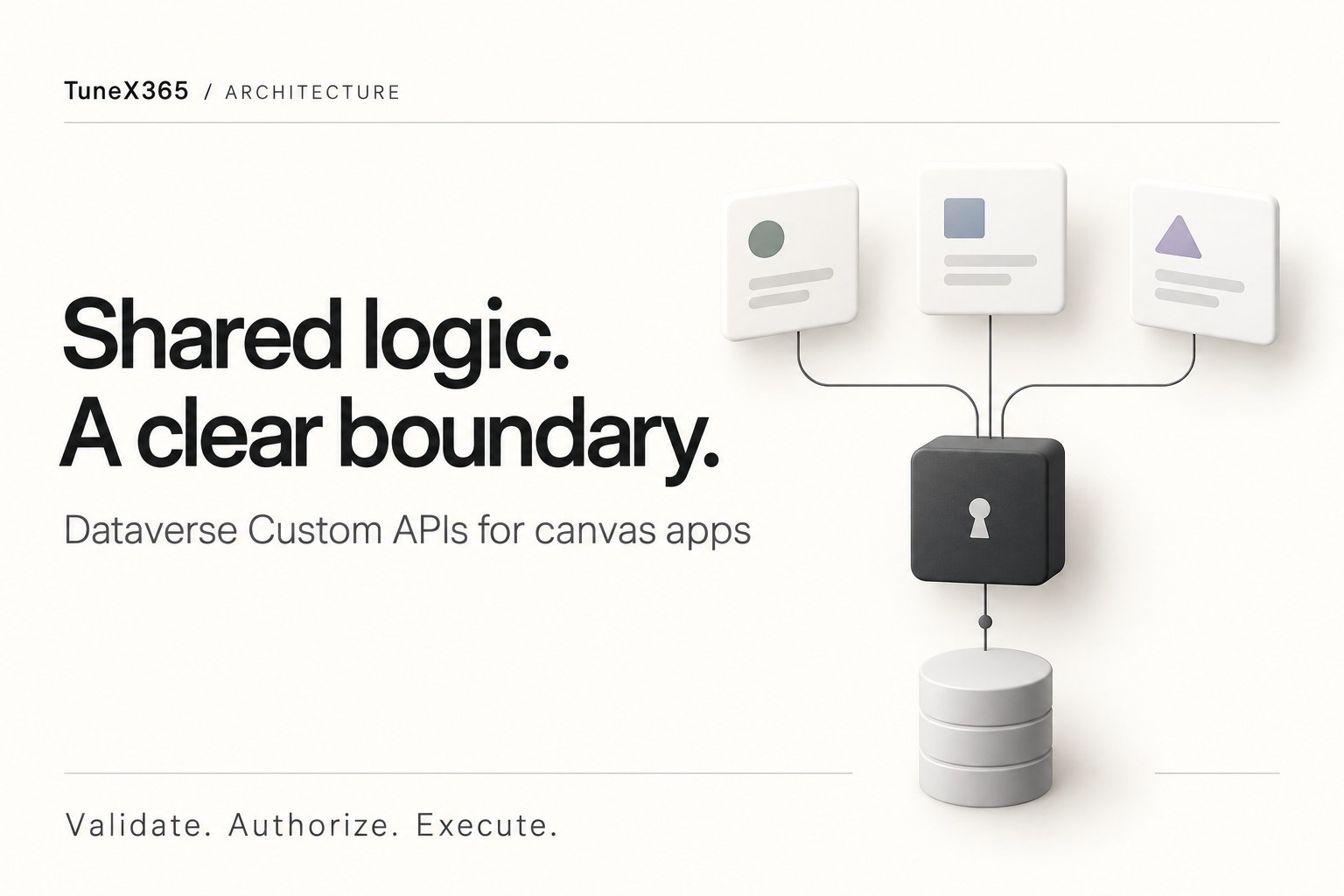
A canvas app starts with a simple save button. Over time, that button creates an activity, sets its participants, links a case and completes the record. The same logic then appears in another app—and each copy starts to behave differently.
Dataverse Custom APIs can give that shared logic a stable home. This pattern uses three actions backed by one plug-in assembly: a reusable write operation, an email send operation and a case resolution operation. The app collects input and presents the result; the server validates and performs the business operation.
It is a useful option when several apps need the same behavior. It also creates a security boundary that deserves more attention than the JSON payload.
Keep simple writes simple
Use Patch() for a straightforward write the signed-in user is allowed to make. Keep reads on the Dataverse data source when its typed columns and delegation support fit the app.
Use Power Automate for orchestration across services, approvals and work that can continue after the user leaves the screen. A flow’s connection configuration determines the identity used by its actions; review that identity explicitly.
Consider a Custom API when a short, reusable business operation belongs on the server: validation shared across apps, several related Dataverse changes, or a narrowly authorized operation that needs different privileges. A plug-in requires C# development, deployment and ongoing ownership.
Moving logic to the server can reduce app-to-server round trips. That is an architectural advantage, not a guaranteed response time: measure the complete operation with realistic data, downstream plug-ins and concurrent users.
Three actions, one shared implementation
The names below are examples using the placeholder publisher prefix new_. These actions must be implemented and registered in your environment before an app can call them.
new_UpsertRecordFromJsoncreates or updates a row using a validated JSON payload. Limit supported tables, columns and operations explicitly.new_SendEmailsubmits an existing draft email for sending after checking access to the message, sender and recipients.new_ResolveCaseresolves an eligible case throughCloseIncidentRequest, including an appropriate resolution activity.
A shared assembly can centralize parameter validation, metadata mapping and safe error handling. Dedicated actions still keep email and case resolution separate from generic row changes. For sensitive workflows, a named business action such as “record a customer callback” is often easier to authorize than a generic writer.
Make create and update behavior explicit
For the JSON writer, define EntityLogicalName and Payload as required strings. Use an optional GUID RecordId and a documented Mode. Return the resulting RecordId only after a successful write.
- Create: create a new row; document whether caller-supplied IDs are supported.
- Update: require an ID and fail if the authorized target cannot be updated.
- Auto: support only if its existence checks, access behavior and concurrency rules are well defined.
This custom mode switch is not automatically equivalent to Dataverse’s native Upsert operation. A separate existence check followed by create can race with another request. Prefer explicit Create or Update for predictable app behavior, and design duplicate detection and retry handling deliberately.
JSON also trades away compile-time checks. The mapper should reject unknown or disallowed columns, validate types and lengths, and check whether each column is valid for the requested operation. A column being writable in metadata does not mean every caller should be permitted to set it.
Call the action from Power Fx
Add the Environment data source to the canvas app and refresh it after changing an action’s signature. This illustrative call creates a contact in the caller’s normal security context. It assumes the example API is already registered and its parameter names match the formula.
Set(varContactId, Blank());
IfError(
    Set(
        varContactId,
        Environment.new_UpsertRecordFromJson({
            EntityLogicalName: "contact",
            Mode: "Create",
            Payload: JSON({
                firstname: txtFirstName.Text,
                lastname: txtLastName.Text
            })
        }).RecordId
    );
    Notify("Contact saved.", NotificationType.Success),
    Notify("Contact could not be saved.", NotificationType.Error)
);
The formula resets the previous ID before saving and reports failure through IfError. Keep technical diagnostics on the server and show a safe, useful message to the person using the app. Prevent accidental repeat submissions while the request is running.
Omit RecordId for this create example. GUID() without an argument generates a new ID; it does not represent an empty value.
Document the payload conventions
A JSON mapper needs a contract makers can follow. For example, choice columns can use their numeric values, and polymorphic lookups can use an object containing a table logical name and ID:
{
  "subject": "Follow up on the customer request",
  "regardingobjectid": {
    "logicalName": "incident",
    "id": "5b0c4a1e-0000-0000-0000-000000000010"
  }
}
This is a proposed mapper format, not the native Web API lookup syntax. Validate the target table and ID on the server. Define null-clearing behavior, numeric precision, allowed choice values and party-list handling. Treat User Local, Date Only and Time Zone Independent columns according to their Dataverse behavior rather than applying one UTC conversion to every date.
One action call has a boundary
For standard Dataverse tables, a synchronous operation can keep participating database changes in the same transaction. If a later operation fails, let the failure propagate so that earlier participating changes roll back. Verify the execution context and rollback behavior in integration tests; do not extend this assumption to elastic tables or external services.
Two consecutive action calls from a canvas app are two requests. They do not become one transaction because they run from the same button.
Creating a draft with new_UpsertRecordFromJson and then invoking new_SendEmail can leave a draft if the second call fails. Decide whether that recoverable draft is acceptable. If both Dataverse steps must share a transaction, expose one dedicated action that performs them together.
Email delivery itself happens outside a database rollback guarantee. A successful send request does not prove delivery to the recipient. Mailbox approval, configuration and server-side synchronization still matter.
Closed records need table-specific handling
Do not assume that every inactive row is read-only or that reopening is always necessary. Check the table, message and supported state transitions. Cases and other business records can require dedicated close or resolution messages.
If a supported activity workflow really must reopen, update and restore a record, those are real state changes. Assess the effects on audit history, synchronous plug-ins and asynchronous automation. Elevated privileges do not make an unsupported state transition valid.
Authorize before switching identity
A client-supplied RunAsSystem flag is a request, never permission. Default to the caller’s context. Prefer a dedicated business action and a narrowly privileged identity when the operation requires additional access.
For every action, configure an appropriate existing ExecutePrivilegeName and grant that privilege only to intended callers. That controls who may invoke the message; the implementation must still decide which records and changes that caller may request. Hiding an action from discovery is not authorization.
- Establish the caller. Understand the difference between
UserId, which reflects the execution identity, andInitiatingUserId, which identifies the initiating user in the execution chain. - Check the business permission. Verify permitted tables, columns, operations, target rows, related records and values before any elevated record read or write. Fail closed if policy configuration is missing or invalid.
- Constrain special actions. For email, validate the permitted sender, recipients and message. For resolution, check case eligibility and the caller’s relationship to the case.
- Keep attribution explicit. Record the initiating user in a protected “performed by” field or a dedicated audit record when needed. Setting the owner does not change Created By or Modified By.
- Return only approved information. An ID-only response reduces returned data, but IDs, error details and existence checks can still reveal information. Avoid raw payloads and sensitive values in errors or traces.
A table-and-operation allow-list is a starting point. It does not replace row-level authorization or restrictions on sensitive columns such as ownership. Treat calls from another app or an authenticated API client exactly as calls from your intended screen.
Make the implementation reviewable
Package the API definitions, parameters, response properties, plug-in assembly and policy configuration in a solution. Use your organization’s publisher prefix, keep the contract in source control and validate deployment into a clean test environment.
- Build the complete C# project and package dependencies explicitly; do not assume a library is available in the sandbox.
- Test the mapper’s supported types, null handling, invalid fields and payload limits.
- Test denied callers, unauthorized target records, protected columns and missing elevation configuration.
- Test Create, Update, duplicate requests and concurrent writes, including every supported state transition.
- Force a later database step to fail and verify the expected rollback. Test separate-call failures and email delivery failures independently.
- Measure latency and review metadata-cache invalidation after solution changes.
- Refresh action definitions in consuming apps and retest after a contract change.
The practical goal is a small, understandable server contract that several apps can trust. Keep ordinary edits easy for makers, and move shared business operations behind APIs whose behavior and authorization you can explain and test.
Further reading
- Microsoft Learn: create and use Custom APIs
- Microsoft Learn: work with Dataverse actions in canvas apps
- Microsoft Learn: database transactions
- Microsoft Learn: impersonation in plug-ins
Related: Embed a canvas app in a model-driven form with an HTML web resource.